
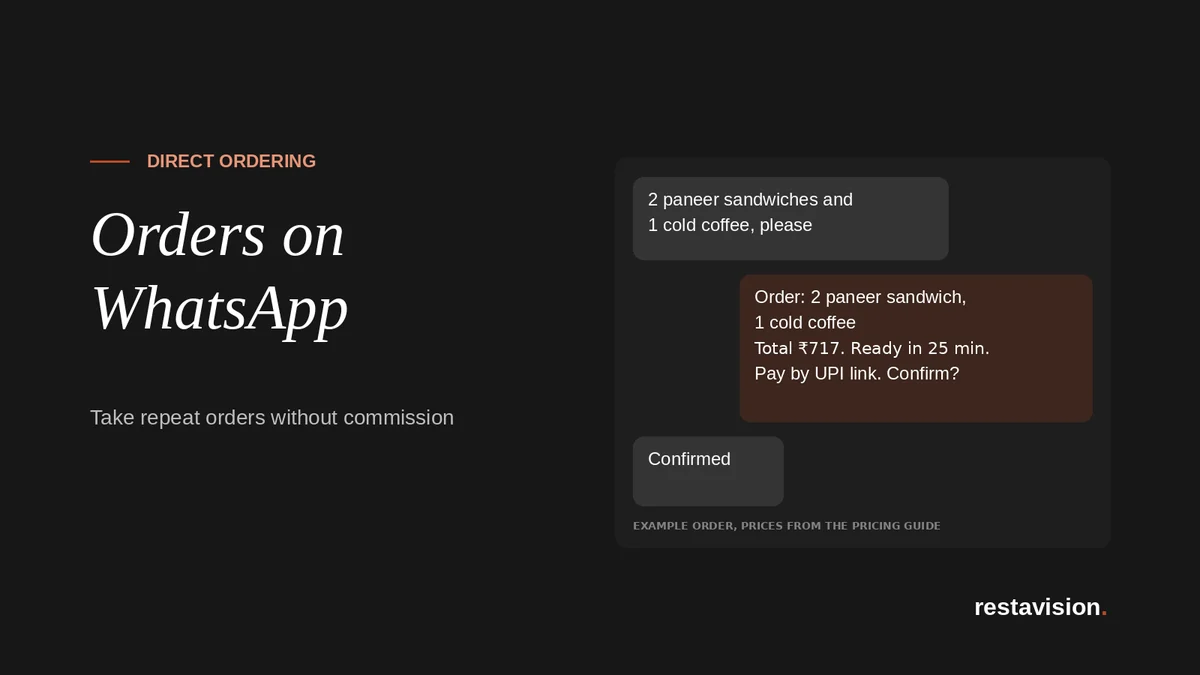
Aggregator orders cost commission every time, including from guests who already love your food. Taking those repeat orders directly, on a channel guests already use, is one of the simplest ways to keep more of each sale. This guide shows a practical way to set up ordering on WhatsApp without a new app or a big budget.
The short answer
Use the free WhatsApp Business app on one dedicated number. Set up a business profile, a catalogue, quick replies and a greeting message, use a fixed order format, and track each order with labels. Push guests who already know you to order directly, and keep aggregators for finding new guests.
Why bother
Every order through an aggregator carries a commission, and you lose the customer relationship. Here is an example, using an illustrative rate and not any platform’s actual rate.
| Through an aggregator | Direct on WhatsApp | |
|---|---|---|
| Order value | ₹500 | ₹500 |
| Commission at an example rate of 25% | ₹125 | ₹0 |
| Left before food and packaging | ₹375 | ₹500 |
| Difference | ₹125 more per order |
If you took 20 repeat orders a week directly instead of through an aggregator, that example rate would save ₹2,500 a week, before the cost of your own time and any delivery. Use your own commission rate and your own figures.
Set up the basics
- Use a dedicated number for the restaurant, not a personal phone.
- Install WhatsApp Business and fill in the profile: name, address, hours and menu or website link.
- Build a catalogue of your core items with clear names, photos and prices.
- Set a greeting message that welcomes new chats and tells guests how to order.
- Set an away message for outside order hours, saying when you will reply.
- Save quick replies for the questions you answer every day: menu, delivery area, timing, payment.
- Create labels such as New, Confirmed, Paid, Out for delivery and Delivered.
A simple order flow
- The guest sends an order, or picks from the catalogue.
- You reply with the order read back: items, quantity, address, total and expected time.
- The guest confirms and pays by your chosen method.
- You mark the chat with a label and pass the order to the kitchen.
- You message again when it leaves, and mark it delivered.
Keep the same format every time, so staff can handle orders in a rush.
Rules that keep it working
- One number, one owner. Someone is clearly responsible for replies at each shift.
- Fixed order hours. Do not promise what the kitchen cannot deliver.
- Read the order back before confirming, to avoid wrong orders and refunds.
- Be careful with offers. Message only people who have contacted you or asked to hear from you.
- Keep the menu short. A shorter delivery menu is easier to prepare and to pack.
How to get guests to use it
- Print the WhatsApp number and a QR code on bills, packaging, the menu and the counter.
- Put a small card in every delivery bag.
- Tell dine-in guests that they can reorder directly.
- Offer a small benefit that does not hurt your margin. Our guide on menu engineering shows which items have room.
Direct ordering suits repeat guests and nearby offices. Aggregators still help new guests find you. See our guide on aggregator commission and margins.
Know the limits
The free app suits a small to medium volume of orders. If you find yourself handling dozens of chats at once, or need integrated payments and order tracking, you will need a different tool. Features also change over time, so rely on what your own app shows.
Common questions
Is WhatsApp a replacement for Swiggy and Zomato?
Not entirely. Aggregators bring new guests who do not know you. WhatsApp works best for guests who already know you, such as regulars, neighbours and offices, so that repeat orders do not carry commission.
Do I need WhatsApp Business?
The free WhatsApp Business app is built for this. It adds a business profile, a catalogue, quick replies, greeting and away messages and labels, which the regular app does not have.
Can guests pay on WhatsApp?
The standard app is mainly for browsing and chatting. Most restaurants take payment separately, for example by UPI link, QR code or cash on delivery, and confirm in the chat.
How do I stop it becoming chaotic?
Use one number, set clear order hours, keep a fixed order format and use labels to track each order from new to delivered.
Can I message guests with offers?
Only message people who have contacted you or asked to hear from you. Check WhatsApp’s current business messaging rules before sending bulk messages.
How do I get guests to use it?
Print the number and a QR code on bills, packaging and the menu, and offer a small benefit that does not reduce your margin, such as a free add-on chosen from items with a high margin.
Keep more of every order
Tell us how many orders you take through aggregators today.
